Tick() and fixed-step physics in Unreal, and why two clocks drift apart
Why frame-rate Tick and physics steps drift apart in Unreal, how a fixed-step accumulator works, and why two accumulators need one shared clock.
Tick(DeltaTime) runs once per rendered frame, and DeltaTime is whatever that frame happened to take. Physics solvers want the opposite: small, equal steps, every time. Most of the trouble people hit when they drive a simulation from Tick comes from mixing those two clocks.
This post covers where Unreal's own tick and physics meet, the fixed-step accumulator pattern for your own simulation code, and a lesson from a project where we ran two extra physics engines side by side inside Unreal: two accumulators that each looked correct on their own disagreed about what time it was.
Everything about Unreal below was checked against Epic's 5.8 documentation, linked at the end.
Where Tick sits relative to physics
Actors and components tick in tick groups. The ETickingGroup reference lists them in order:
TG_PrePhysics: "Any item that needs to be executed before physics simulation starts."TG_StartPhysics: "Special tick group that starts physics simulation."TG_DuringPhysics: "Any item that can be run in parallel with our physics simulation work."TG_EndPhysics: "Special tick group that ends physics simulation."TG_PostPhysics: "Any item that needs rigid body and cloth simulation to be complete before being executed."TG_PostUpdateWork: "Any item that needs to be ticked after all normal gameplay tasks."
TG_StartPhysics and TG_EndPhysics are the engine's own markers. You put your code in the other groups. The Actor Ticking page gives the practical rule. Code that pushes on physics objects goes in TG_PrePhysics. Code that doesn't read physics results, such as a HUD, can go in TG_DuringPhysics. Traces and anything that needs this frame's settled positions go in TG_PostPhysics.
You set the group in the constructor through PrimaryActorTick:
PrimaryActorTick.bCanEverTick = true;
PrimaryActorTick.TickGroup = TG_PostPhysics;Within a group, order is not guaranteed. If one actor must tick after another, use AddTickPrerequisiteActor or AddTickPrerequisiteComponent. Those make the caller wait for the named actor or component.
Why frame-rate Tick and physics don't line up
The Physics Sub-Stepping page puts it plainly: Unreal uses a variable frame rate, and physics engines work best with small fixed time steps. At 144 fps a frame is about 7 ms. After a shader-compile hitch it might be 200 ms. Feed that straight into a spring or a contact solver and it will either explode or lose energy, depending on the integrator.
Chaos gives you two built-in answers, both under Project Settings > Physics > Framerate:
- Substepping splits each frame into smaller steps, limited by Max Substep Delta Time and Max Substeps. The steps are smaller, but they still add up to the frame's delta, so the step size still changes from frame to frame.
- Tick Physics Async runs the simulation on its own thread at Async Fixed Time Step Size. That is a true fixed step, decoupled from the game thread.
The Physics Settings page marks these options as experimental. Note Max Physics Delta Time too. If a frame is longer than that value, physics does not catch up: in Epic's words, "physics will move artificially slow in order to increase stability." Keep that phrase in mind, because it is the same trade-off as the lesson below.
None of this helps if the simulation is your own, such as a cloth solver, a custom rigid-body library or a particle system you step yourself. Then you need your own fixed step.
The fixed-step accumulator
The pattern is old and small. Keep a bank of time not yet simulated. Each frame, add the frame's delta. Then pay it out in whole fixed steps. Whatever is left over, less than one step, carries into the next frame.
Here is a generic sketch. It is not production code, and Step() and the transform helpers stand in for your solver:
// Sketch: generic fixed-step accumulator driven from Tick.
constexpr float FixedDt        = 1.0f / 60.0f;
constexpr float MaxAccumulated = 0.25f;   // cap on banked time

float Accumulator = 0.0f;

void Tick(float DeltaTime)
{
    Accumulator += DeltaTime;
    Accumulator  = FMath::Min(Accumulator, MaxAccumulated);

    while (Accumulator >= FixedDt)
    {
        Step(FixedDt);          // your solver, always the same dt
        Accumulator -= FixedDt;
    }

    const float Alpha = Accumulator / FixedDt;   // 0..1 between steps
    ApplyRenderTransforms(Alpha);                // once per frame
}The clamp is there to prevent the "spiral of death". A slow frame schedules many steps, those steps make the next frame slow, and so on. Capping the bank means a long hitch costs you some simulated time instead of freezing the game.
Alpha is how far you are between the last step and the next one. Keep the previous and current simulated transform. Render a blend of the two, a lerp for position and a slerp for rotation, weighted by Alpha. Without this, motion stutters whenever the frame rate and the step rate don't divide evenly.
Two details are easy to get wrong:
- Copy transforms to actors once per frame, not once per step. Calling
SetActorTransforminside thewhileloop does work nobody sees, and it can trigger overlap and movement updates on every step. Step the solver as many times as needed, then write the result once. - Pick where Tick runs. A plain actor gets a tick group. You can also drive a simulation from a
UTickableWorldSubsystem, which Epic describes as a subsystem that shares "the lifetime of a UWorld" and ticks along with it. It inherits fromFTickableGameObject, so you implementTickandGetStatId. It has noPrimaryActorTick, so if its order relative to specific actors matters, check it in a profiler rather than assuming.
The lesson: two accumulators, two different times
In one project we ran two extra physics engines alongside Chaos, each stepped at a fixed 60 Hz from its own tickable world subsystem. Some bodies were coupled across the two engines. Each subsystem had its own accumulator, and each one looked correct when read on its own.
They handled slow frames differently:
- Engine A banked owed time, clamped at 0.25 s, and paid it back with extra steps in the same frame, as the sketch above does.
- Engine B allowed at most four steps per frame and discarded anything owed beyond that.
At 60 Hz, four steps is about 67 ms. Suppose a 200 ms hitch. Engine A banks all 200 ms and pays it back. Engine B simulates 67 ms and throws away the other 133 ms. After that one frame, B's world is 133 ms behind A's, and it never catches up. Every later hitch adds more. Coupled bodies drifted apart, and nothing about either engine was obviously broken.
Neither policy is wrong on its own. Discarding time is the same trade-off Chaos makes with Max Physics Delta Time. The bug was having two policies, which meant two clocks.
The fix was one counter. A single accumulator decides how many fixed steps are due this frame, applying one clamp policy, and both engines step that many times from it. Now they cannot disagree about time, because only one thing measures time.
If you run more than one simulation that has to agree, whether that is two engines, a solver next to Chaos, or a custom cloth next to animation, give them one clock. Let each simulation own its state, not its sense of time.
Further reading
Related
 Houdinisplit() is a tokenizer: building cache paths from strings in Houdini VEXVEX strings look like Python's, but split() merges separators and drops empty fields, len() counts bytes, and a wrangle expands $ before the compiler sees it. A per-piece cache path built from the scene file name, and the traps along the way, checked in Houdini 22.
 LatestMaterialX is an IR for materials: build a typed shader graph in Python, then lower it to GLSL and OSLA MaterialX material is a typed dataflow graph stored as XML, which a library type-checks and compiles to several shading languages. With only pip install MaterialX, build a checkerboard material in Python, watch the validator reject a float wired into a color, and generate GLSL and OSL from the same file.
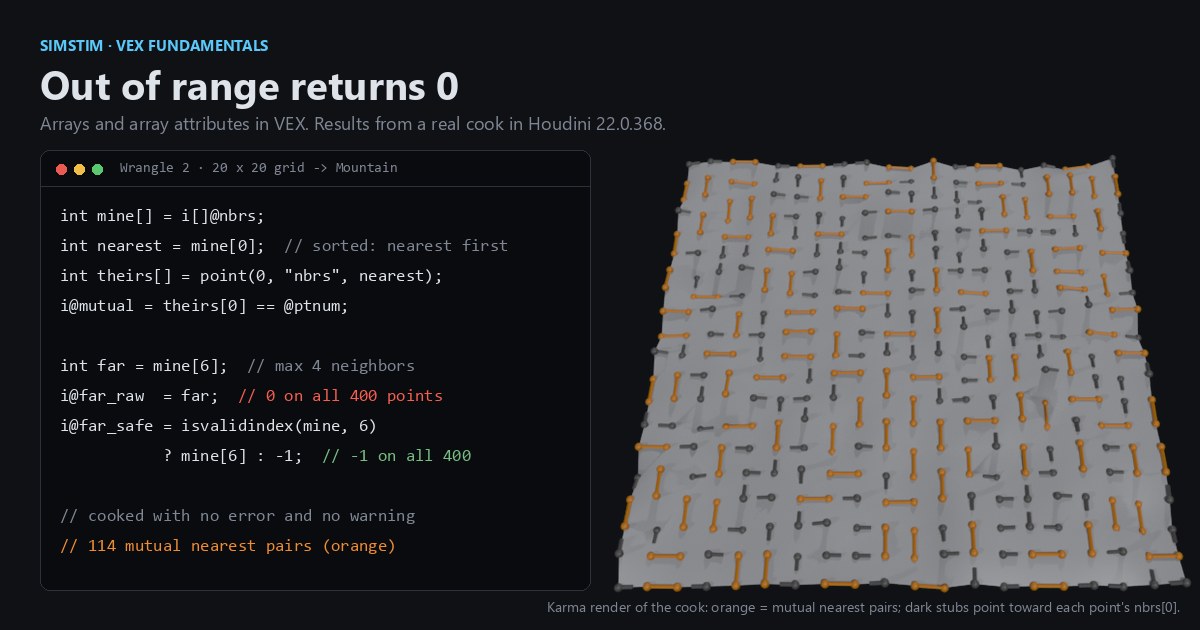 HoudiniOut of range returns 0: arrays and array attributes in Houdini VEXVEX arrays slice like Python lists, but an out-of-range read quietly returns 0, a write past the end grows the array, and arrays can't nest. Per-point neighbor lists sorted by distance, read back from other points, and the traps that turn a bad index into point 0.